
No Asteroids: Ore, Minerals and the Scanner
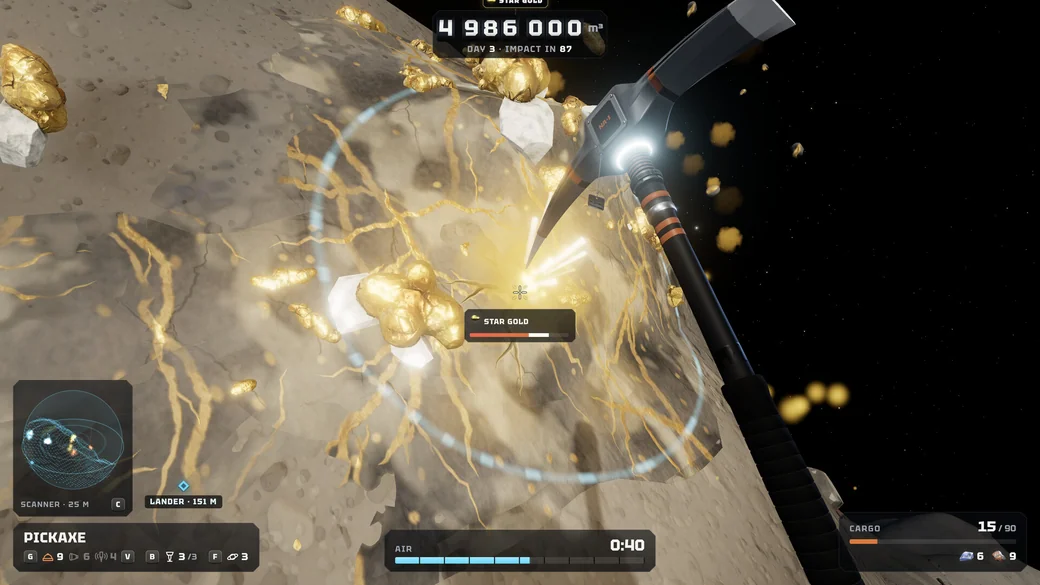
Scan with the in-game scanner and follow the highlighted seam you can reach and break with your current tool. If you see a vein behind a hard face, read the ore or rock health indicator before spending more air. Change the excavation angle or bring a stronger tool if the face barely moves.
Identify the target before you cut
Scroll sideways to see all columns.
| What you see | What to check | Next action |
|---|---|---|
| Exposed seam at the surface | Compare the scanner highlight to the visible node. | Use the Pickaxe or Sledgehammer on exposed early ore. |
| Harder layer between you and the vein | Watch the face health and time spent per hit. | Try a shallower approach or return with Drill, Laser or a later tool. |
| Neutronium region | Check the tool’s effect against the exposed face. | Compare later tools before committing to a long cut. |
| Strange Matter heart | Appears in campaigns and years generated after the November 25 change. | Inspect the current core and test a late tool such as Lance or Slicer. |
Set up the scanner for the mineral you want
Use the scanner action shown in Controls (C in the documented English layout). Watch for the target highlight while the scanner is ready. The November 25 change makes either press of the toggle highlight ore when the scanner has recharged.
Use the per-mineral color or visibility controls introduced in 1.0.2 if the screen is crowded. If the expected seam is missing, check whether that discovered mineral is hidden before deciding the site is empty.
Keep the achievement count separate from the market
Steam describes Mineralogist as finding eight minerals. Launch-era market references name additional stocks, and the developer later added Strange Matter to newly generated rocks. Read the Museum’s mineral counter for the achievement and the Trade Terminal for the current stock and prices.
Ordinary rock is a separate sale stock from Day 35 under Update 1.0.2. It uses spare capacity after minerals. A stock that appears at the terminal does not establish that it increments the Museum counter.